
Help
Verifying Your Identity Online
A quick, simple guide
Verifying your identity online is the fastest and safest way for us to progress your pension request.
Most people complete it in just a few minutes.
What you'll need
Please make sure you have:
- A valid photo ID
Passport, driving licence, or national ID card
- A device with a camera
A mobile phone works best (a tablet is fine)
- Good lighting
Natural light is ideal
How it works
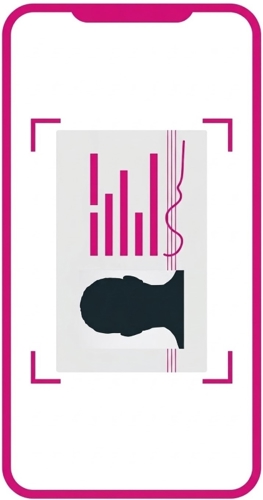
1Photograph your ID
- Place it on a flat surface
- Make sure all edges of the document are visible
- Preferably, align it sideways, using the full portrait camera size
- Try to hold the camera parallel to the ID
- Use the photo page of your passport (not the cover)
- Take a picture of both sides of your driving license
- Please avoid glares, shadows or using flash
- Do your best to capture the image with a good quality
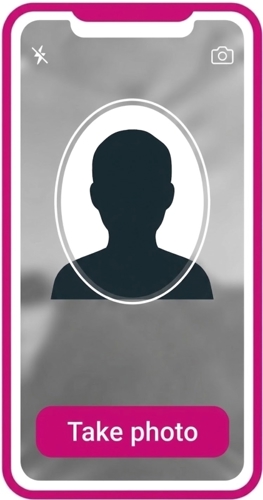
2Take a quick selfie
- Look straight at the camera
- Remove hats and sunglasses
- Make sure your face is clearly visible
- The selfie will be taken automatically when your face is positioned within the oval
3Automatic checks
You'll have up to 3 attempts to upload your ID. If it still doesn't work, you'll be directed to your Administration Team for support.
Your photos are checked securely and matched to confirm your identity.
Once it's complete, we'll let you know what happens next.
Tips for best results
Use good lighting
Keep your device steady
Clean your camera lens
Follow the on-screen guidance
If something isn't right, you'll be told what to fix before continuing.
Common questions
My photo won't upload
Move to a brighter area or steady your device.
I don't have the right ID
Contact your scheme administration team for help.
I don't want to do this online
Online is quickest, but alternatives are available.
Your information is secure
- Used only to confirm your identity
- Processed securely
- Submitted only with your consent
This helps protect your pension from fraud.
Need help?
If you can't complete the online check or need support:
Contact your scheme administration team
Details are in your recent pension correspondence.
We're here to help.